What the Deployment Actually Does
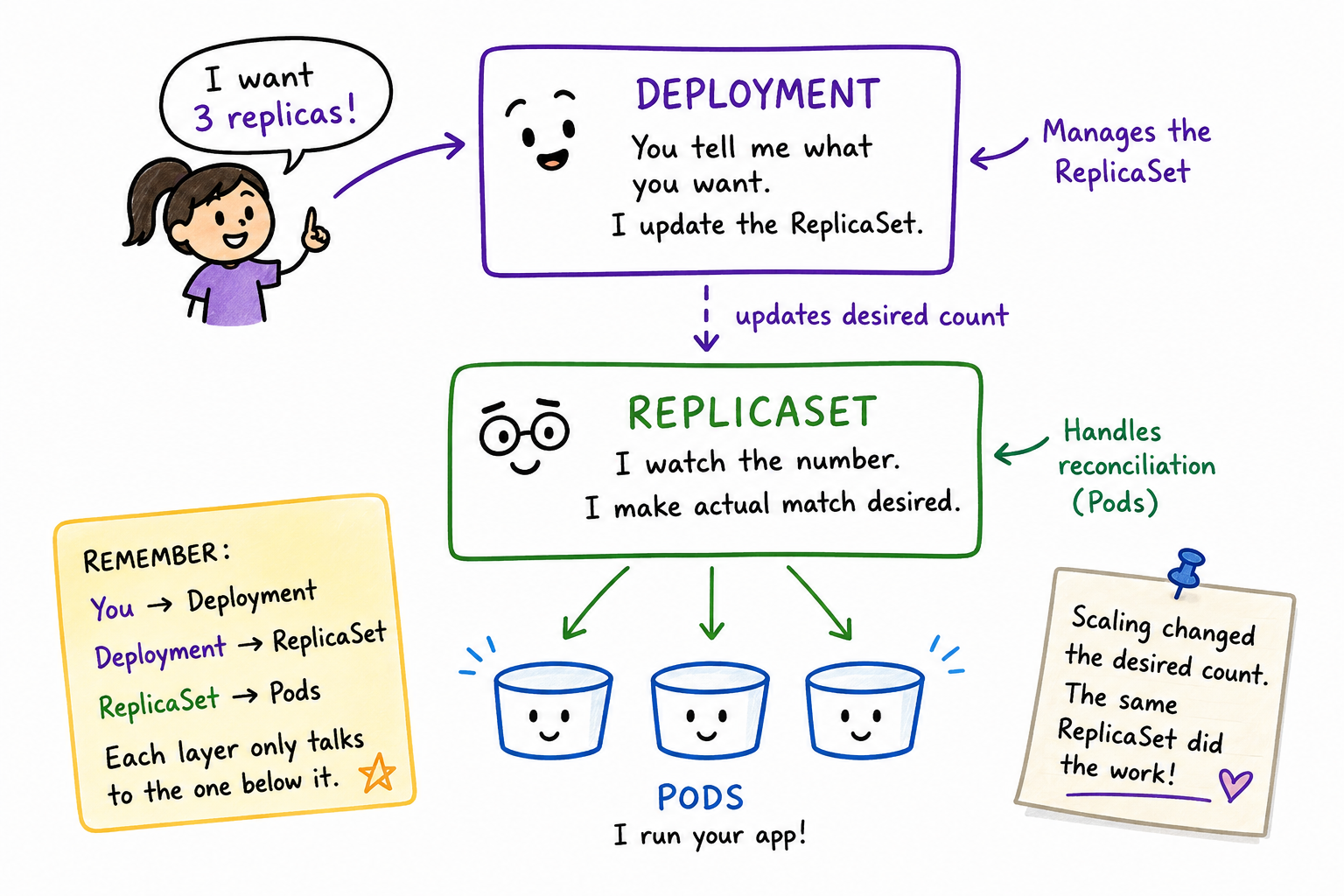
You might think the Deployment was the thing that brought your Pod back to life during the delete experiment — it's the object you actually created, back when this all started, and "keeps things running" sounds exactly like a Deployment's job. It wasn't. That was the ReplicaSet, working entirely on its own, without the Deployment lifting a finger.
So if the ReplicaSet does the watching, and the ReplicaSet does the reconciling — what is the Deployment actually for?
The command you'll use to find out is kubectl scale — it tells Kubernetes to change how many replicas of something you want running. It's not exclusive to Deployments; you can point it at a few different kinds of objects. Here, you'll point it at your Deployment.
Watch the Deployment do something the ReplicaSet can't
Scale your Deployment up:
kubectl scale deployment hello-web --replicas=3Check what happened:
kubectl get allOutput:
NAME                             READY   UP-TO-DATE   AVAILABLE   AGE
deployment.apps/hello-web        3/3     3            3           40m

NAME                                        DESIRED   CURRENT   READY   AGE
replicaset.apps/hello-web-7d9f8c9d6b        3         3         3       40m

NAME                                READY   STATUS    RESTARTS   AGE
pod/hello-web-7d9f8c9d6b-9m3qz      1/1     Running   0          10m
pod/hello-web-7d9f8c9d6b-p7j2q      1/1     Running   0          8s
pod/hello-web-7d9f8c9d6b-rz4wn 1/1 Running 0 8sNotice what stayed the same: it's still the same ReplicaSet as before, hello-web-7d9f8c9d6b. Its DESIRED count just changed, from 1 to 3, and it went and reconciled that new number the same way it reconciled the Pod you deleted earlier — by creating Pods until actual matched desired.
You didn't touch the ReplicaSet directly, and you definitely didn't touch any Pod directly. You told the Deployment what you wanted, and the Deployment updated the ReplicaSet's desired count on your behalf.
So what's the actual division of labor?
The ReplicaSet's job is narrow: keep the actual Pod count matching whatever desired count it's been given. That's it. It doesn't know anything about your intentions, your rollout history, or what image version you're supposed to be running. It just watches a number.
The Deployment's job is to manage that ReplicaSet on your behalf — updating its desired count when you scale, and, when you eventually change something bigger like the container image, creating a brand new ReplicaSet and shifting Pods over to it gradually rather than editing the old one in place. You won't do that part yet; it's a lesson of its own. For now, the important part is this: you talk to the Deployment. The Deployment talks to the ReplicaSet. The ReplicaSet talks to the Pods. Each layer only knows about the one directly below it.
Takeaways
- The ReplicaSet handles reconciliation — matching actual Pods to a desired count. That's the same behavior you saw bring
hello-webback after deleting it. - The Deployment doesn't reconcile Pods directly. It manages the ReplicaSet, and the ReplicaSet does the reconciling.
- Scaling a Deployment doesn't create a new ReplicaSet — it just changes the desired count on the existing one, which then reconciles toward that new number.
- Each layer only talks to the one below it: you talk to the Deployment, the Deployment talks to the ReplicaSet, the ReplicaSet talks to the Pods.