Some Pods Come Back. Some Don't.
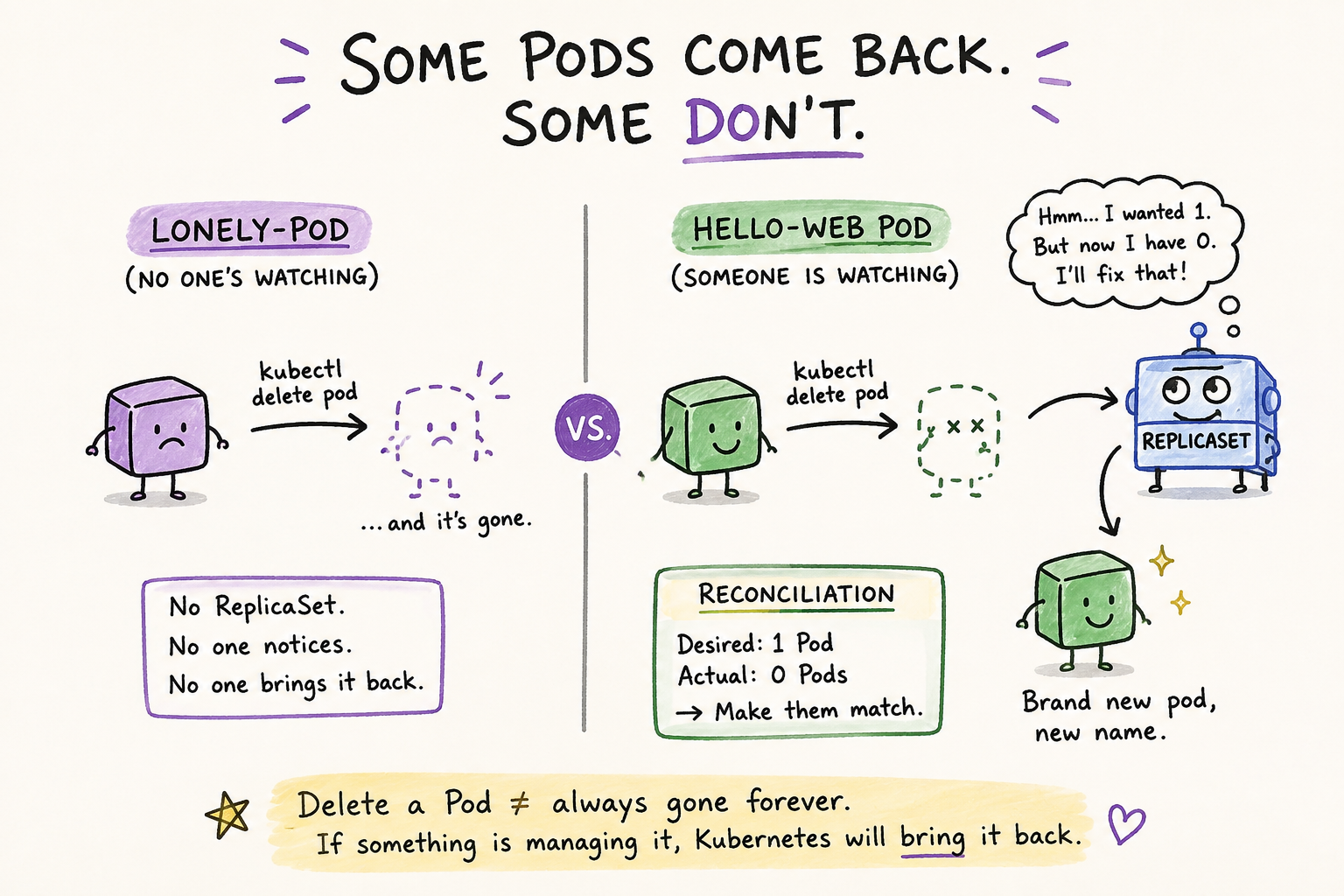
You've got two Pods running right now: hello-web, created through a Deployment, and lonely-pod, created bare with kubectl run. Last lesson, they looked identical — both Running, both healthy, no visible difference between them.
You might think deleting a Pod is a simple, final thing: you delete it, it's gone, end of story. For one of these two Pods, that's exactly true. For the other, it isn't even close.
The command you'll use for this is kubectl delete pod <name> — it does exactly what it says, telling Kubernetes to remove a specific Pod. You'll pair it with kubectl get pods, which you've already used earlier in this course, to check what's left behind.
Delete the one nobody's watching
Start with lonely-pod:
kubectl delete pod lonely-podCheck what's left:
kubectl get podsOutput:
NAME                             READY   STATUS    RESTARTS   AGE
hello-web-7d9f8c9d6b-x2k4p 1/1 Running 0 30mlonely-pod is gone. Not restarting, not pending — just gone. Nothing in the output even hints that it ever existed.
Now delete the one Kubernetes is watching
Find your hello-web Pod's name and delete it:
kubectl delete pod hello-web-7d9f8c9d6b-x2k4pCheck again:
kubectl get podsOutput:
NAME                             READY   STATUS    RESTARTS   AGE
hello-web-7d9f8c9d6b-9m3qz 1/1 Running 0 6sThere's a Pod named hello-web again — but look at the suffix. It's different. 9m3qz, not x2k4p. This isn't the Pod you deleted, brought back to life. It's a brand new Pod, created from scratch, seconds after the old one disappeared. You didn't run any command to make that happen. You deleted a Pod, walked away for a moment, and came back to find a replacement already running.
Why one came back and the other didn't
Go back to what you saw in Lesson 2's kubectl get all: hello-web's Pod wasn't created directly — it was created by a ReplicaSet, which was created by a Deployment. That ReplicaSet has one job: make sure the number of running Pods matches the number it was told to maintain. It's not a one-time setup step. It keeps checking, continuously, for as long as it exists.
When you deleted hello-web's Pod, the ReplicaSet noticed the count had dropped below what it expected, and it did the only thing it knows how to do — it created a new Pod to bring the count back up. It didn't know or care that you deleted the old one on purpose. It just saw a gap between "how many Pods should exist" and "how many Pods actually exist," and closed it.
lonely-pod never had a ReplicaSet behind it. When it disappeared, there was no gap for anything to notice, because nothing was tracking whether it should exist in the first place.
This has a name: reconciliation
In plain English, to reconcile two things means to make them agree — to settle a difference between what should be true and what actually is true. You've probably heard the word from bank accounts: reconciling a statement means checking what your records say against what actually happened, and fixing any mismatch.
In Kubernetes, reconciliation means the same thing, just automated and constant. The ReplicaSet holds onto a desired number — how many Pods it's supposed to have. It compares that against the actual number — how many Pods currently exist. When those two numbers disagree, it takes action to make them agree again, by creating or removing Pods until the count matches.
That's exactly what you watched happen. Desired: 1. Actual dropped to 0 the moment you deleted the Pod. The ReplicaSet noticed the mismatch and reconciled it — bringing actual back up to 1 by creating a new Pod. This idea, comparing what's desired against what's real and correcting the gap, shows up constantly in Kubernetes. The ReplicaSet is just the first place you're seeing it.
Takeaways
- Deleting a Pod doesn't always mean it's gone for good — it depends on whether something is managing it.
- A ReplicaSet doesn't just create Pods once. It continuously checks the actual Pod count against the desired count, and creates new Pods whenever the two don't match. This constant checking-and-correcting is called reconciliation, and it shows up throughout Kubernetes, not just here.
- The replacement Pod is not the same Pod restarted — it's a new one, with a new name. Kubernetes doesn't bring the old Pod back to life, it replaces it.
- A bare Pod, created with
kubectl run, has no ReplicaSet watching it — so once it's gone, nothing brings it back.