What Actually Happened When You Ran That Command
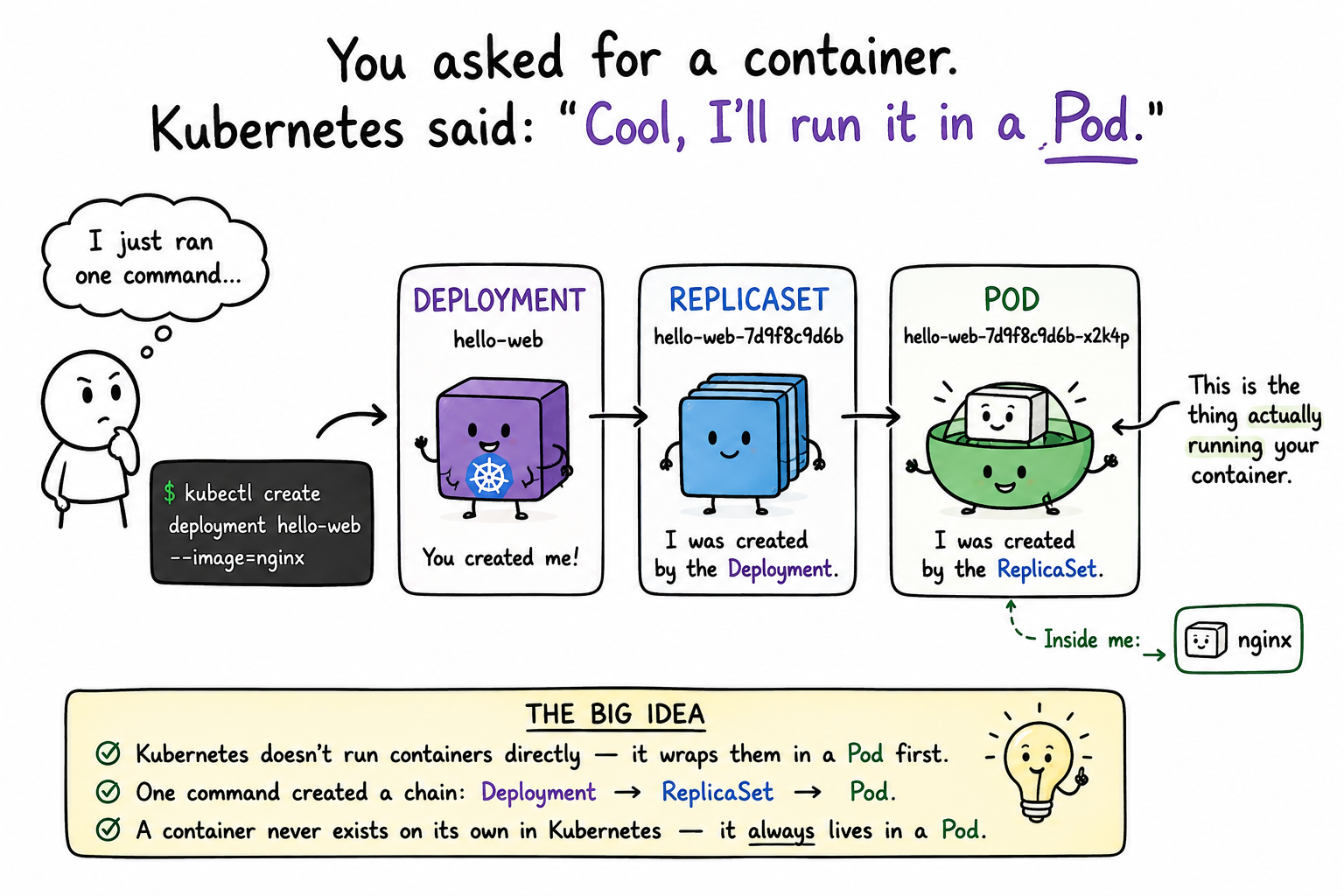
You might think kubectl create deployment hello-web --image=nginx did roughly what docker run nginx does — start a container, hand you back something you can point at and say "that's my container." That's a completely reasonable guess. It's also not what happened. Kubernetes never runs a container directly. It always wraps it in something first — a Pod — and that Pod is the thing actually running, not the container itself.
If you went looking for "the container" in Kubernetes and kept finding this other word instead, you're not missing something. The container isn't the unit Kubernetes deals in. The Pod is.
See the chain for yourself
Go back to your terminal and ask Kubernetes what actually exists right now:
kubectl get allYou'll see more than you expected from one command. Something like:
NAME                             READY   UP-TO-DATE   AVAILABLE   AGE
deployment.apps/hello-web        1/1     1            1           4m

NAME                                        DESIRED   CURRENT   READY   AGE
replicaset.apps/hello-web-7d9f8c9d6b        1         1         1       4m

NAME                                READY   STATUS    RESTARTS   AGE
pod/hello-web-7d9f8c9d6b-x2k4p 1/1 Running 0 4mThree objects. You asked for one thing and got a chain:
- A Deployment (
hello-web) — the thing you actually created - A ReplicaSet (
hello-web-7d9f8c9d6b) — created by the Deployment. We'll come back to what this does later; for now, just notice it exists and that you didn't create it directly. - A Pod (
hello-web-7d9f8c9d6b-x2k4p) — created by the ReplicaSet. This is the thing that's actually running your container.
Notice the naming — the Pod's name is the ReplicaSet's name plus a random suffix, and the ReplicaSet's name is the Deployment's name plus a suffix. That's not decoration. It's a paper trail: each object tells you exactly who made it.
So what is a Pod?
A Pod is the smallest thing Kubernetes will run for you. Not a container — a Pod. Concretely, a Pod is a thin wrapper around one or more containers that guarantees a few things about them: they'll be scheduled onto the same machine together, they'll share a network address, and Kubernetes will manage their lifecycle as a single unit.
Most of the time, a Pod wraps exactly one container — which is exactly why it's easy to mentally collapse "Pod" and "container" into the same thing. Your hello-web Pod is a good example: one Pod, one nginx container, and functionally it feels like you just ran a container. The distinction only becomes visible the moment you ask Kubernetes to describe what it made — which is exactly what you just did.
Look inside the Pod
You can confirm the container is in there, not floating on its own:
kubectl describe pod hello-web-7d9f8c9d6b-x2k4p(Use your own Pod's name from kubectl get pods — that random suffix will be different on your machine.)
Scroll to the Containers: section. You'll see your nginx container listed underneath the Pod — a resource inside a resource, not a peer to it.
Takeaways
- Kubernetes doesn't run containers directly — it always wraps them in a Pod first.
- One
kubectl create deploymentcommand created a chain of objects: Deployment → ReplicaSet → Pod, each one created by the one before it. - The Pod is the smallest unit Kubernetes actually schedules and runs. A container never exists on its own inside Kubernetes — it's always inside a Pod.
- Most Pods wrap exactly one container, which is why the distinction is easy to miss — until you ask
kubectlwhat's really there.