Getting Started
You're going to run something on a real Kubernetes cluster in the next five minutes, and you're going to do it before you know what half these words mean.
That's on purpose. You'll understand why it worked a lot better once you've seen that it worked.
Make sure your cluster is up
If you haven't already, confirm your cluster is running:
kubectl get nodesYou should see one node with a status of Ready. If you don't, go back to the setup page before continuing.
Deploy something
Run this:
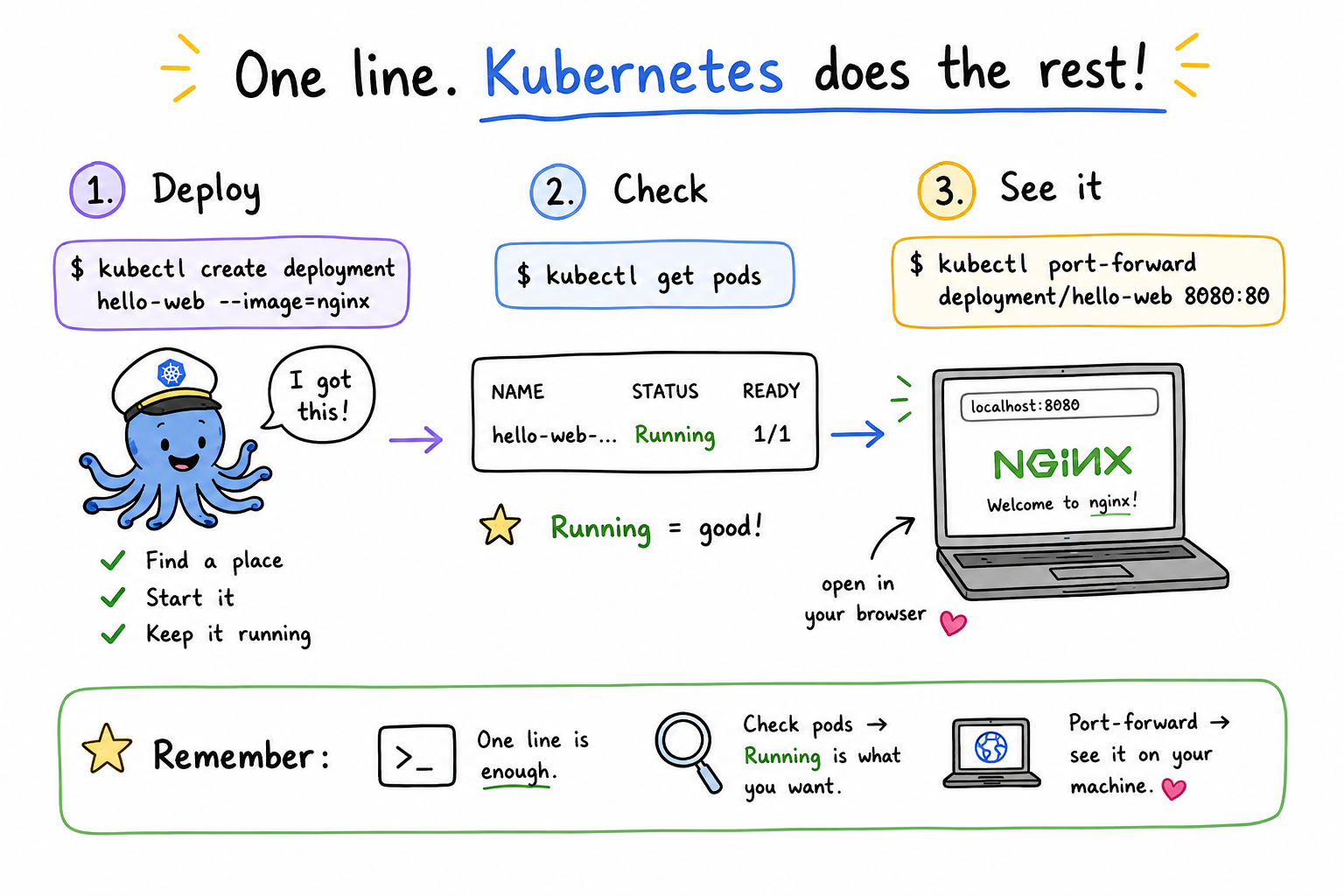
kubectl create deployment hello-web --image=nginxThat's it. One line. Kubernetes just went and did a handful of things on your behalf — you'll find out exactly what, later. For now, check that it's actually running:
kubectl get podsYou should see something like:
NAME                          READY   STATUS    RESTARTS   AGE
hello-web-7d9f8c9d6b-x2k4p 1/1 Running 0 12sRunning is the word you want. If you see ContainerCreating, wait a few seconds and run the command again — it's still pulling the image.
See it with your own eyes
A running Pod isn't much to look at in a terminal. Let's make it visual. Forward a local port to it:
kubectl port-forward deployment/hello-web 8080:80Leave that running, and open localhost:8080 in a browser.
You should see the nginx welcome page — the same one you'd get running docker run -p 8080:80 nginx locally. Except this isn't running locally. It's running inside a small virtual cluster that Kubernetes is managing for you, and you told it what you wanted, not how to get there.
When you're done looking at it, press Ctrl+C to stop the port-forward.
What you just did
You ran one command. Kubernetes:
- Found somewhere to put your container
- Started it
- Kept it running
You didn't tell it where to run, or how to keep it running. You just said "I want nginx running," and it figured out the rest.
That gap — between the one line you typed and everything Kubernetes actually did to make it true — is where this course lives. Next, we'll pull that command apart and find out what actually got created when you ran it. (Hint: it's not what docker run would have created.)
Takeaways
kubectl create deployment <name> --image=<image>is enough to get a container running on a Kubernetes cluster — no config files needed yet.kubectl get podstells you whether it's actually running.Runningis the status you want;ContainerCreatingjust means give it a moment.kubectl port-forwardlets you reach something running inside the cluster from your own machine, without exposing it to the outside world.- You told Kubernetes what you wanted, not how to do it. That one-line command hid a lot of decisions — where to run it, how to keep it running — that Kubernetes made for you. That's the gap the rest of this course fills in.